
iLoveAudioVideo
Transcribe audio to text, compress and convert video in your browser. Your files are never uploaded.
AI Audio & VoiceFreeverified Listed on Completely free
Is iLoveAudioVideo free?
Yes, iLoveAudioVideo has a free plan. What you get: All tools, no account, no watermark, no daily limit (maker's claim). To get it: open the site and choose a tool; then select a file or drag it onto the page; then run the tool and download the result. Verified on iloveaudiovideo.com.
Free plan at a glance
- Includes
- All tools, no account, no watermark, no daily limit (maker's claim)
The maker says there is no file size limit, with one exception: the Premiere Pro fix tool limits its result to about 1 GB on its slower sound path.
- Duration
- Free forever
- Watermark
- None on free outputs
- Your content
- The maker says it isn't used to train AI
How to get it free
No signup- Open the site and choose a tool.
- Select a file or drag it onto the page.
- Run the tool and download the result.
Good to know
- Google serves ads on the site
- Transcripts and subtitles are automatic and can contain mistakes
iloveaudiovideo.com, Checked Source
Overview
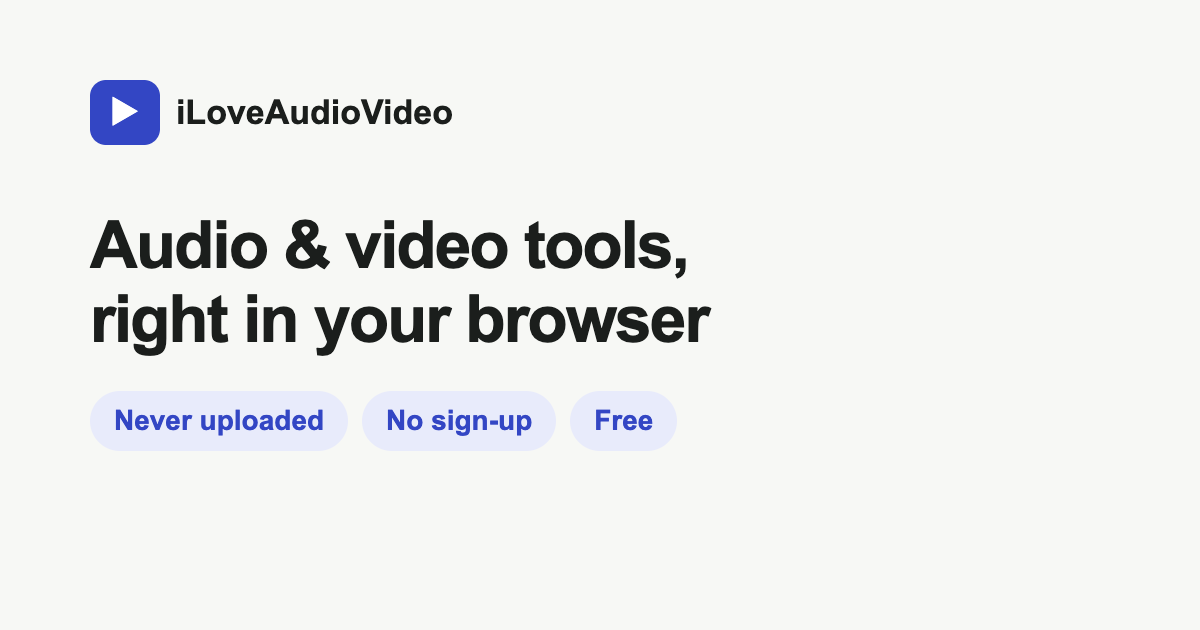
iLoveAudioVideo is a set of audio and video tools that run in the browser. They turn speech into text and subtitles, compress videos and convert formats. The maker says files are processed on your device and not uploaded.
Key features
- Speech to text and subtitles, with 99 languages listed by the maker
- Compress video to a size you type
- Convert video and audio formats, such as MOV to MP4 or WAV to MP3
- Trim, merge, crop and resize video
- Files are processed in the browser tab, not on a server
Best for
- People
- People who transcribe recordings and want files to stay on their device, Anyone who needs to shrink, trim or convert videos for sharing
Limitations
- The Premiere Pro fix tool limits the result to about 1 GB when the sound needs its slower backup path
- The Premiere Pro fix tool keeps only the main sound track
- Transcripts and subtitles are made automatically and can contain mistakes
Screenshot
FAQ
- Is iLoveAudioVideo free?
- Yes. iLoveAudioVideo has a free plan. That's from iloveaudiovideo.com, checked on November 17, 2026.
- How do I get iLoveAudioVideo for free?
- Open the site and choose a tool, select a file or drag it onto the page, then run the tool and download the result. Start at iloveaudiovideo.com. We last checked these steps on November 16, 2026.
- Can I use iLoveAudioVideo without signing up?
- Yes, you can start using iLoveAudioVideo without an account (checked November 16, 2026). Google serves ads on the site.
- What's the catch with iLoveAudioVideo's free plan?
- One thing to know: Transcripts and subtitles are automatic and can contain mistakes (checked November 16, 2026).
- What are free alternatives to iLoveAudioVideo?
- Happy Scribe, TurboScribe and Notta all have free plans. We checked each of their free offers on November 16, 2026.
- Is my video uploaded to a server?
- The maker says no. Files are processed inside the browser tab and saved back to your computer.Source: iloveaudiovideo.com/premiere-pro-no-audio
- Is there a file size limit?
- The maker says there is no size limit because files stay on your device. One exception is the Premiere Pro fix tool, which limits the result to about 1 GB on its slower sound path.Source: iloveaudiovideo.com/premiere-pro-no-audio
- Is there a paid plan?
- No paid plan is listed. The about page says the tools are free and a labelled space for a Google ad sits below the tools.Source: iloveaudiovideo.com/about
Free alternatives

Happy Scribe
AI transcription and subtitles.
Free forever, Unlimited AI meeting notes (45 minutes each); file transcription is a 10-minute trial

TurboScribe
Unlimited AI transcription powered by Whisper.
Free forever, 3 files per day up to 30 minutes each

Notta
AI transcription and meeting notes.
Free forever, Monthly transcription minutes

Typeless
AI voice keyboard that turns speech into cleaned-up text in any app, on Mac, Windows, Linux, iOS and Android.
Free forever, Limited words each week, standard accuracy
OpenWhispr
Open-source dictation app that types your speech into any app, with local or cloud models and meeting notes.
Free forever, Unlimited local dictation, 2,000 cloud words per week
More free AI Audio & Voice tools
- Otter.ai

Free forever, Basic: free forever
- Voxcribe

Free forever, 120 minutes a month, files up to 30 minutes, 3 files a day
- TTSMaker

Free forever, Free text-to-speech with weekly character limits
- Aqua Voice

Free forever, 2,000 free words with Avalon 1.5, plus your first 3 Notetaker meetings
- Stable Audio

Free forever, 50 credits a month, about 12 full-mix or 8 multi-track generations, with a commercial license
- Spokenly

Free forever, Unlimited dictation with on-device Whisper and Parakeet models
Sources
- Free offer
- Verified on iloveaudiovideo.com
…is a free set of audio and video tools that run entirely in your web…
Listed by the maker. It's ranked by the same formula as every other tool. We check that a free option exists and record the date; signing up is between you and iLoveAudioVideo, so read their privacy policy and terms first.
Is this your tool? Claim it · Promote it


