
KoboldCpp
Runs open AI models on your own computer from one file, with a browser UI for chat and story writing and a local API.
Chatbots & LLMsFreeverified Listed on Open source
Is KoboldCpp free?
Yes, KoboldCpp has a free plan. What you get: Free to run AI models on your own computer, one file, no install. To get it: download KoboldCpp from the official GitHub releases page; then pick a ready-made template in the launcher, or a GGUF model; then click Launch and open the web UI in your browser. Verified on koboldcpp.net.
Free plan at a glance
- Includes
- Free to run AI models on your own computer, one file, no install
Free and open source under AGPL-3.0. It runs on your own computer with models you download; no usage limit is stated.
- Duration
- Free forever
How to get it free
Self-host- Download KoboldCpp from the official GitHub releases page
- Pick a ready-made template in the launcher, or a GGUF model
- Click Launch and open the web UI in your browser
Good to know
- koboldcpp.com is a fake site; trust only the official GitHub releases and koboldcpp.net
- KoboldCpp does not include model files
github.com, Checked Source
Overview
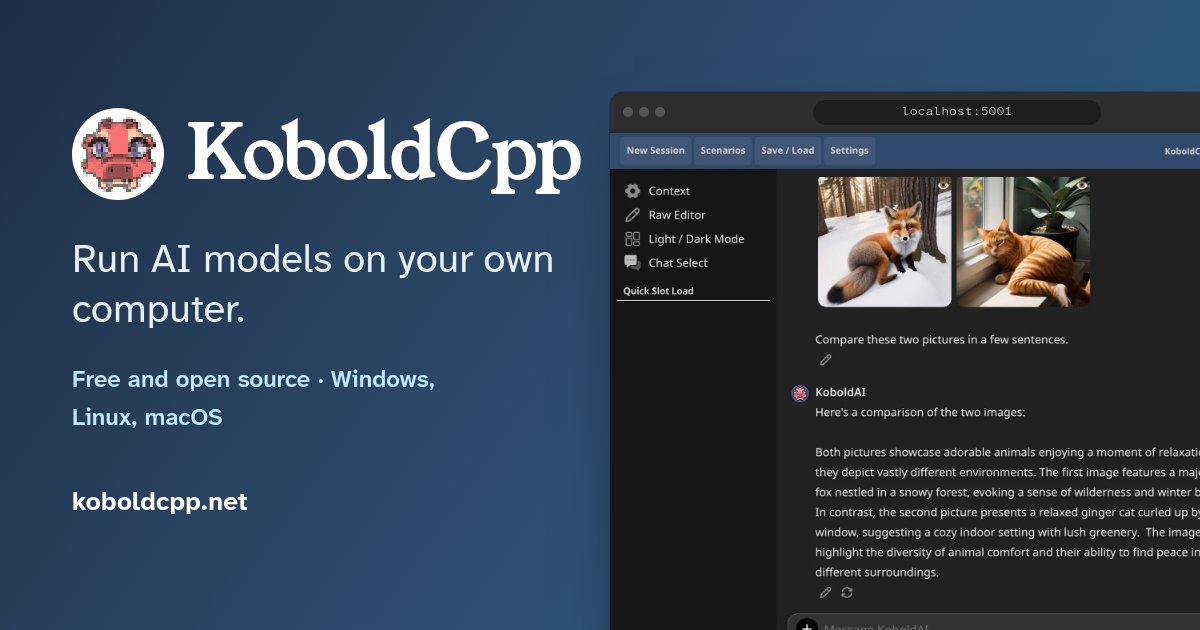
KoboldCpp runs GGUF language models locally on Windows, Linux and macOS, on CPU or GPU, from a single executable with no installation. Its KoboldAI Lite web UI is built for chat, roleplay and story writing, and it also covers images, speech, music and video with compatible models.
Key features
- Single executable for Windows, Linux and macOS with no installation
- KoboldAI Lite web UI with chat, adventure, instruct and story-writing modes
- Memory, world info, author's notes and persistent story saves, plus Tavern character card imports
- Image generation and editing, speech-to-text, text-to-speech, music and video with compatible models
- OpenAI-, Ollama- and Anthropic-compatible APIs so apps such as SillyTavern can connect
- Can connect the web UI to external providers such as OpenRouter, Gemini or Mistral instead of a local model
Best for
- People
- Writers who want an offline AI for stories and text adventures, Roleplay chat fans who use character cards or SillyTavern, People who want to run open models privately on their own PC
Limitations
- Model files are not included; you download GGUF models separately
- Intel Macs need a source build
- The memory you need depends on the model size and context length
Screenshot
FAQ
- Is KoboldCpp free?
- Yes. KoboldCpp has a free plan: Free to run AI models on your own computer, one file, no install. We last checked koboldcpp.net's pricing page on 2026-11-12.
- What does the KoboldCpp free plan include?
- Free to run AI models on your own computer, one file, no install. Source: https://koboldcpp.net/ (checked 2026-11-12).
- How do I get KoboldCpp for free?
- Steps: Download KoboldCpp from the official GitHub releases page; Pick a ready-made template in the launcher, or a GGUF model; Click Launch and open the web UI in your browser. Start at https://github.com/LostRuins/koboldcpp (checked 2026-10-28).
- Do I need an account to use KoboldCpp for free?
- Not for the free option: the free route is to self-host KoboldCpp (Download KoboldCpp from the official GitHub releases page). Checked 2026-10-28.
- What's the catch with KoboldCpp's free plan?
- koboldcpp.com is a fake site; trust only the official GitHub releases and koboldcpp.net. KoboldCpp does not include model files. Checked 2026-10-28.
- What are free alternatives to KoboldCpp?
- Merlin, Google Gemini and Felo all have free plans. We checked their free offers on 2026-11-12.
- Do I need to install anything?
- No installer is needed: KoboldCpp is one file from the official GitHub releases. You also need a GGUF model, which you download separately or pick from a template in the launcher.Source: koboldcpp.net
- Is koboldcpp.com the official site?
- No. The maker warns that koboldcpp.com is a malicious fake site. Trust only the release binaries on the LostRuins/koboldcpp GitHub page and koboldcpp.net.Source: github.com/LostRuins/koboldcpp
- Can I use KoboldCpp without a GPU?
- Yes. The maker says a dedicated GPU is optional; KoboldCpp runs on CPU or GPU, and the model size and context length decide how much memory you need.Source: github.com/LostRuins/koboldcpp
Free alternatives

Merlin
AI assistant extension for chat, summaries and writing.
Free forever, Limited access to Basic and Plus-level models

Google Gemini
Google multimodal AI for search, writing, coding, and image help.
Free forever, The Flash-Lite model, with limits that refresh every 5 hours up to a weekly limit

Felo
AI search engine with multilingual answers and slides.
Free forever, Daily pro searches

AnythingLLM
All-in-one desktop AI app with RAG and agents.
Free forever, Open-source desktop app

Lumo
Proton's privacy-first AI assistant.
Free forever, Limited messages and chat history
More free Chatbots & LLMs tools
- Venice

Free forever, Limited daily prompts
- Alpaca

Free forever, Free Linux app for chatting with local Ollama models
- Perplexity

Free forever, Pro adds more advanced searches and models
- 5ire
Free forever, Free desktop app; bring your own API key or use local Ollama models
- Mistral Vibe (formerly Le Chat)
Free forever, Limited access to latest models, chat, search and Vibe for code
- TextGen
Free forever, Free desktop app to run LLMs on your own computer
Sources
- Free offer
- Verified on koboldcpp.net
…is free and open source (AGPL-3.0). Official downloads are on the KoboldCpp GitHub Releases…
- Page content
Checked against
Added by our team. We check that a free option exists and record the date; signing up is between you and KoboldCpp, so read their privacy policy and terms first.
Is this your tool? Claim it · Promote it


